What a digital business card is, and how to pick one
Updated 14 October 2026
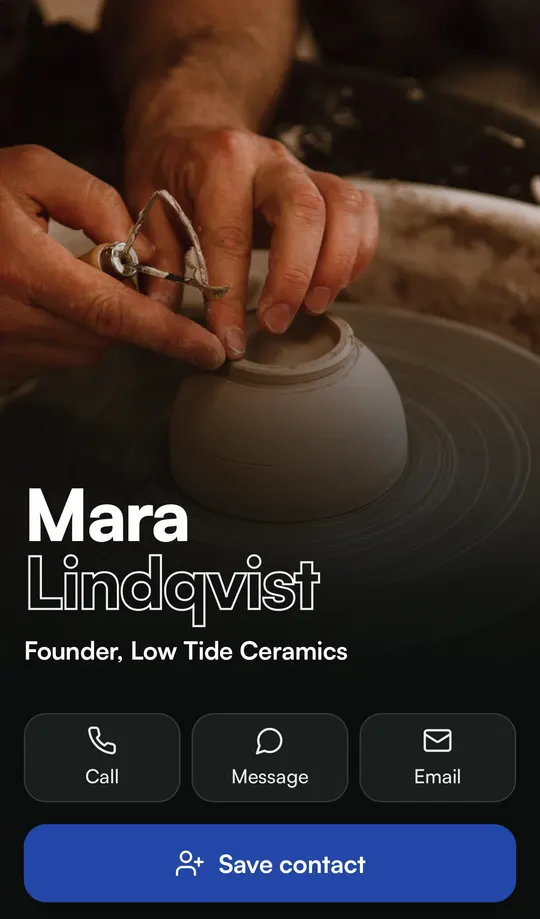
A digital business card is a contact card that lives on your phone instead of on paper. You share it with a QR code, a link or an NFC tag. The other person opens it in their phone’s browser and saves your name, number and email to their contacts in one tap, without typing anything.
Unlike paper, you can change it after you’ve handed it out, and anyone who opens it again sees the new version. Metcard is one of these cards, made by Volka Pty Ltd in Western Australia.
How a digital business card works
- You make the card once. Your name, photo, role, phone, email and links. On Metcard, each business you run gets its own tab.
- You get a link and a QR code. The link is yours to keep, for example metcard.app/your-name.
- You share it. Hold up the QR code, send the link in a message, or put it in your email signature.
- They open it in their browser. Nothing to install, on iPhone or Android.
- They tap Save my contact. Your details go into their phone’s contacts as a normal contact.
What to look for
Most digital business cards do the basics. These are the things that separate them.
- It opens without an app. If people have to install something first, plenty of them won’t bother. Metcard opens in any phone browser.
- Save my contact takes one tap. The point is to end up in their contacts, not in a browser tab they close.
- You can edit it after sharing. New role, new number, new business: change it once and everyone sees the update.
- You decide who keeps your details. Most cards are a public link anyone can forward. Metcard Pro adds a live code and one-time links, so only people you meet can open yours. See a digital business card that can’t be forwarded.
- You can see what happened. Who opened it, what they tapped and who saved you.
- The price is clear. Look for a free plan, a monthly price in your own currency, and whether tax is included.
Digital business cards in Australia
Metcard is built and run in Western Australia by Volka Pty Ltd (ABN 90 683 609 412). Prices are in Australian dollars and include GST. One card is free, and Pro is A$4.99 a month or A$49 a year. Every new account gets 14 days of Pro without entering a card.
Cards work in any country. Checkout shows local prices in six other places, tax included, and everywhere else pays in Australian dollars.
| Where you pay | Monthly | Yearly |
|---|---|---|
| Australia | A$4.99 | A$49 |
| United States | US$3.49 | US$34 |
| United Kingdom | £2.99 | £29 |
| Europe | €2.99 | €29 |
| New Zealand | NZ$5.49 | NZ$54 |
| Canada | C$4.49 | C$44 |
| Singapore | S$4.49 | S$44 |
How to share your contact details at an event
The quickest way is a QR code on your phone, held up while you talk. With Metcard it goes like this.
- Before you go, open your card’s show mode and add it to your home screen. It opens straight to your QR code and keeps the screen on.
- When someone asks for your details, tap the icon and hold up your phone.
- They point their camera at the code, and your card opens in their browser.
- They tap Save my contact, and you’re in their phone.
- If they’d rather give you their details, they use Swap cards on your card. Their name and number come straight to you.
- Afterwards, check your card’s activity to see who opened it and who saved you. Full activity is part of Pro.
Paper, NFC or a QR code
Paper still works when someone asks for one, but it can’t change and it gets lost. An NFC card needs a tap and a phone with NFC switched on. A QR code on your screen works with the camera on iPhone and most Android phones, and costs nothing. There’s a side-by-side comparison in NFC or QR code.
Questions
Is a digital business card free?
Many have a free plan. Metcard’s free plan gives you one card with your own link and QR code, all five looks, your businesses as tabs, and Swap cards. Pro adds the live code, one-time links, full activity, products with discount codes, and up to five cards.
Does the other person need an app?
No. Your card opens in their phone’s browser on iPhone or Android, and Save my contact adds you to their contacts.
Can I make my card on a computer?
Yes. You make and edit your Metcard in a browser, on your phone or a computer. You show it from your phone.
Does my link change when I edit my card?
No. Your link and QR code stay the same while you change what’s on the card. They only change if you change the address itself.
Make your card
Free to start. About a minute to set up.
Make your card